🎨 마스터 프롬프트
[Core Instruction & Constraints]
Transform the [uploaded source image] into a high-fidelity digital animation character while strictly preserving the full likeness and facial features of the original subject. The final output must be a finished studio rendering with the quality of a cinematic movie still.
[Art Style: Studio Ghibli]
Apply the distinct artistic style of Studio Ghibli and Hayao Miyazaki. This includes hand-painted watercolor-style textures, a soft and natural color palette, and gentle, fluid line work. Evoke a nostalgic and whimsical atmosphere using warm, soft, studio-quality cinematic lighting.
[Composition & Background]
Frame the image as a vertical or medium shot focused on the subject. The background should not be plain; instead, render a detailed, beautiful pastoral landscape or a fantasy setting that perfectly matches the hand-drawn aesthetic of Ghibli animations.
[Technical Specifications]
Render in 4K resolution with ultra-high detail levels.
마스터 프롬프트 (Master Prompt) 설명
[기본 설정 및 제약 조건] 업로드된 소스 이미지를 기반으로, 주 피사체의 외형적 특징과 유사성을 완벽하게 유지(preserve full likeness)하면서 고충실도의 디지털 애니메이션 캐릭터로 변환하십시오. 최종 결과물은 영화 스틸컷 품질의 완성된 스튜디오 렌더링이어야 합니다.
[스타일 및 분위기: 스튜디오 지브리] 전반적인 예술 스타일은 스튜디오 지브리 및 미야자키 하야오 감독의 작품 특성을 따릅니다. 여기에는 부드럽고 자연스러운 색감, 온화하고 섬세한 선화(line art)가 포함됩니다. 따뜻하고 은은한 스튜디오 영화 조명을 사용하여, 향수를 불러일으키면서도 기발하고 환상적인 분위기를 연출하십시오.
[구도 및 배경] 피사체에 집중할 수 있는 세로 구도 또는 중간 샷(medium shot)을 사용합니다. 배경은 단순한 처리가 아닌, 지브리 스타일 특유의 손으로 그린 듯한 수채화 질감이 풍부한 아름다운 전원 풍경이나 환상적인 세계로 상세하게 묘사되어야 합니다.
[기술 사양] 초고해상도 디테일 수준을 적용하여 4K 해상도로 렌더링하십시오.
✨ 제미나이에서는 한글로 프롬프트를 입력해도 이미지가 생성되지만 가급적이면 영어로 했을 때 더 잘 생성됩니다.

소개해 드릴 프롬프트는 전 세계적으로 사랑받는 스튜디오 지브리(Studio Ghibli) 스타일의 고품질 애니메이션 프롬프트입니다. 따뜻하고 감성적인 수채화 질감과 향수를 불러일으키는 몽환적인 분위기를 연출하고 싶으신가요? 이 프롬프트를 활용하면 여러분이 원하는 대상이나 주제를 마치 지브리 영화의 한 장면처럼 아름답게 구현할 수 있습니다.
사용 방법은 매우 간단합니다. 아래 예시 프롬프트에서 [대괄호 안에 굵은 글씨]로 표시된 부분만 여러분이 원하는 영어 단어(주제, 대상, 색상 등)로 바꿔서 입력하시면 됩니다.
✨ 프롬프트 특징
이 프롬프트는 단순한 애니메이션 화풍으로의 변환을 넘어, 원본 대상의 특징과 유사성을 높은 충실도로 유지하면서 고품질의 디지털 애니메이션 캐릭터로 변환하는 데 중점을 둡니다.
- 지브리 스타일 완벽 재현: 스튜디오 지브리와 미야자키 하야오 감독 특유의 손으로 그린 듯한 수채화 질감, 부드럽고 자연스러운 색채, 그리고 유려한 선 작업을 반영합니다.
- 시네마틱 분위기: 따뜻하고 부드러운 스튜디오 품질의 영화적 조명을 사용하여 향수와 환상적인 분위기를 자아냅니다.
- 섬세한 배경: 인물 주변을 단순하게 처리하지 않고, 지브리 애니메이션 미학과 완벽하게 일치하는 섬세하고 아름다운 전원 풍경이나 판타지 배경을 묘사합니다.
- 초고화질 렌더링: 4K 해상도의 초고화질 디테일을 통해 마치 영화 스틸컷 같은 완성도 높은 결과물을 제공합니다.
💡 색상 변경 팁: 다양한 분위기 연출하기
기본적으로 스튜디오 지브리 스타일은 부드럽고 자연스러운 색감을 사용하지만, 프롬프트 내의 색상 팔레트 부분을 수정하여 다양한 분위기를 연출할 수 있습니다. 아래 3가지 팁을 참고해 보세요.
- 황혼의 따뜻함 (Golden Hour Warmth): 석양이 질 무렵의 느낌을 내고 싶다면, 'warm sunset color palette', 'deep oranges', 'purples', 'golden yellows' 등의 키워드를 사용하여 더욱 몽환적이고 감성적인 분위기를 연출할 수 있습니다.
- 깊은 숲속의 신비로움 (Mysterious Forest): 차분하고 신비로운 느낌을 원한다면, 'moody color palette', 'deep blues', 'forest greens', 'muted greys' 등의 키워드를 활용하여 비 오는 날이나 깊은 숲속의 분위기를 강조할 수 있습니다.
- 봄날의 파스텔 (Spring Pastel): 밝고 동화 같은 느낌을 주고 싶다면, 'bright pastel color palette', 'soft pinks', 'mint greens', 'airy yellows' 등의 키워드를 사용하여 화사한 봄날의 분위기를 만들 수 있습니다.
🖼️ 예시 프롬프트 (Example Prompts)
아래는 마스터 프롬프트를 활용한 4가지 예시입니다. [ ] 안에 굵은 글씨로 된 부분을 여러분이 원하는 내용으로 자유롭게 수정해서 사용해 보세요.
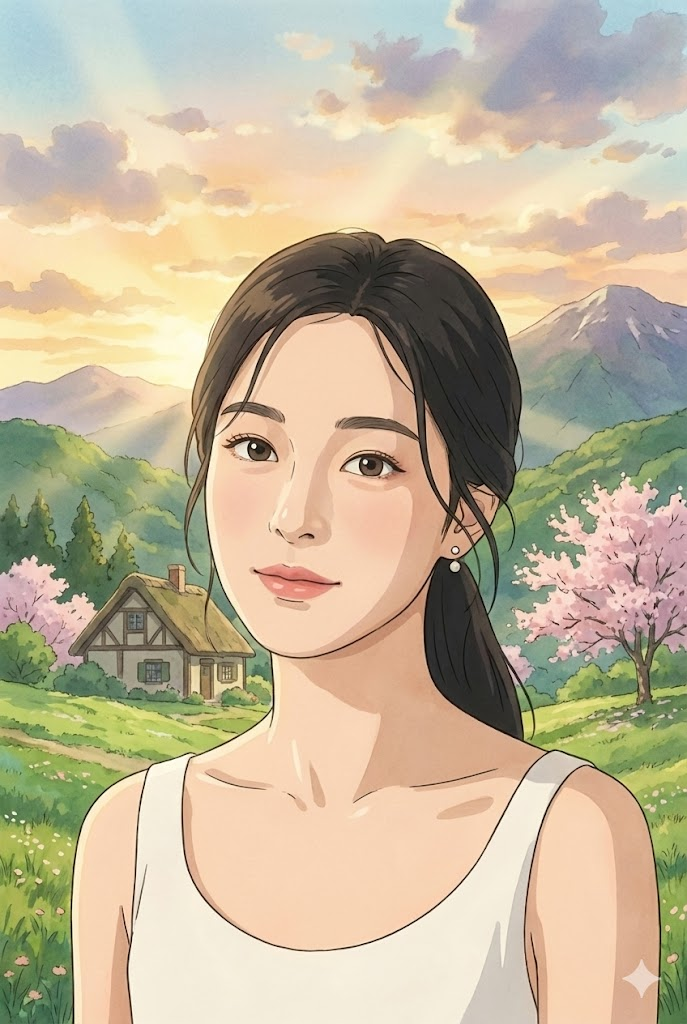
[색상 기본 프롬프트] 예시 프롬프트: 구글 제미나이에서 생성
이 프롬프트는 지브리 스타일의 기본인 부드럽고 자연스러운 색감을 반영한 기본 예시입니다.
[Core Instruction & Constraints]
Transform the [uploaded source image] into a high-fidelity digital animation character while strictly preserving the full likeness and facial features of the original subject. The final output must be a finished studio rendering with the quality of a cinematic movie still.
[Art Style: Studio Ghibli]
Apply the distinct artistic style of Studio Ghibli and Hayao Miyazaki. This includes hand-painted watercolor-style textures, a soft and natural color palette, and gentle, fluid line work. Evoke a nostalgic and whimsical atmosphere using warm, soft, studio-quality cinematic lighting.
[Composition & Background]
Frame the image as a vertical or medium shot focused on the subject. The background should not be plain; instead, render a detailed, beautiful pastoral landscape or a fantasy setting that perfectly matches the hand-drawn aesthetic of Ghibli animations.
[Technical Specifications]
Render in 4K resolution with ultra-high detail levels.
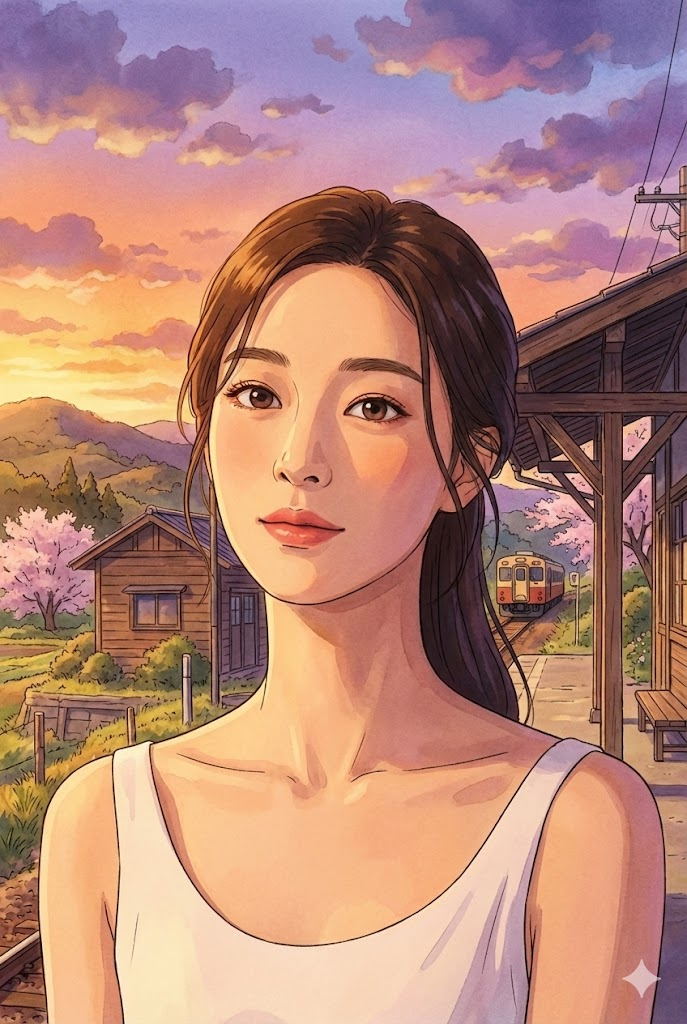
[색상 변경 프롬프트 - 황혼] 예시 프롬프트: 구글 제미나이에서 생성
따뜻한 석양의 색감을 강조하여 감성적인 분위기를 연출한 예시입니다.
[Core Instruction & Constraints]
Transform the uploaded source image into a high-fidelity digital animation character while strictly preserving the full likeness and facial features of the original subject. The final output must be a finished studio rendering with the quality of a cinematic movie still.
[Art Style: Studio Ghibli]
Apply the distinct artistic style of Studio Ghibli and Hayao Miyazaki. This includes hand-painted watercolor-style textures, a [warm sunset color palette dominated by deep oranges, purples, and golden yellows], and gentle, fluid line work. Evoke a nostalgic and whimsical atmosphere using warm, soft, studio-quality cinematic lighting.
[Composition & Background]
Frame the image as a vertical or medium shot focused on [A boy waiting at a rural train station]. The background should not be plain; instead, render a detailed, beautiful pastoral landscape or a fantasy setting that perfectly matches the hand-drawn aesthetic of Ghibli animations.
[Technical Specifications]
Render in 4K resolution with ultra-high detail levels.
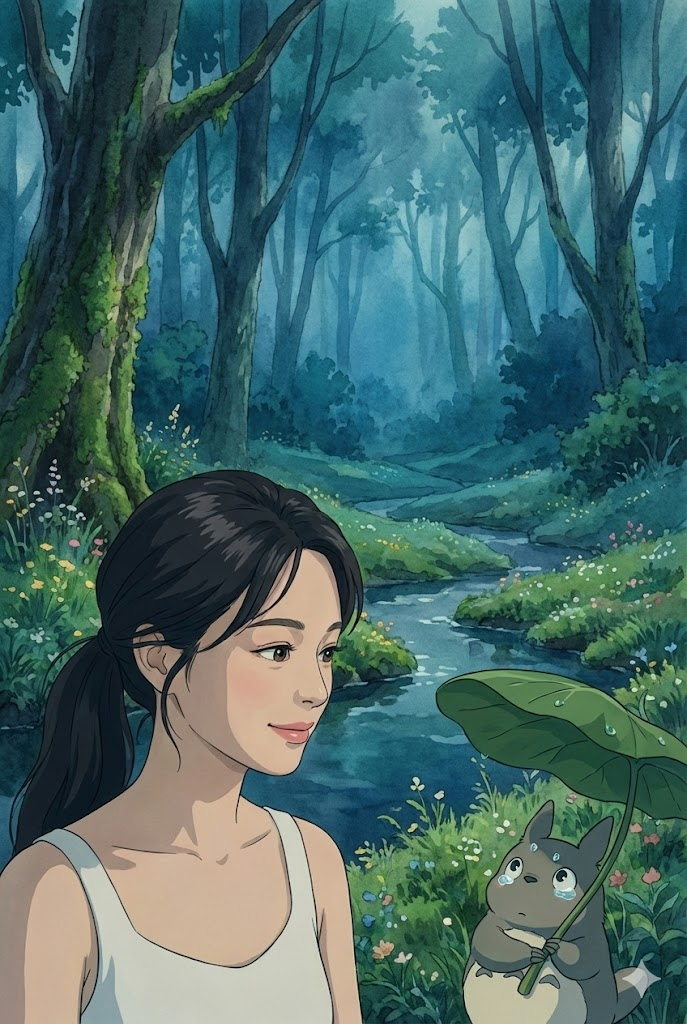
[색상 변경 프롬프트 - 깊은 숲] 예시 프롬프트: 구글 제미나이에서 생성
차분하고 신비로운 숲속의 색감을 반영하여 몽환적인 분위기를 연출한 예시입니다.
[Core Instruction & Constraints]
Transform the uploaded source image into a high-fidelity digital animation character while strictly preserving the full likeness and facial features of the original subject. The final output must be a finished studio rendering with the quality of a cinematic movie still.
[Art Style: Studio Ghibli]
Apply the distinct artistic style of Studio Ghibli and Hayao Miyazaki. This includes hand-painted watercolor-style textures, a [moody color palette utilizing deep blues, forest greens, and muted greys], and gentle, fluid line work. Evoke a nostalgic and whimsical atmosphere using warm, soft, studio-quality cinematic lighting.
[Composition & Background]
Frame the image as a vertical or medium shot focused on [A mysterious creature holding a leaf umbrella]. The background should not be plain; instead, render a detailed, beautiful pastoral landscape or a fantasy setting that perfectly matches the hand-drawn aesthetic of Ghibli animations.
[Technical Specifications]
Render in 4K resolution with ultra-high detail levels.
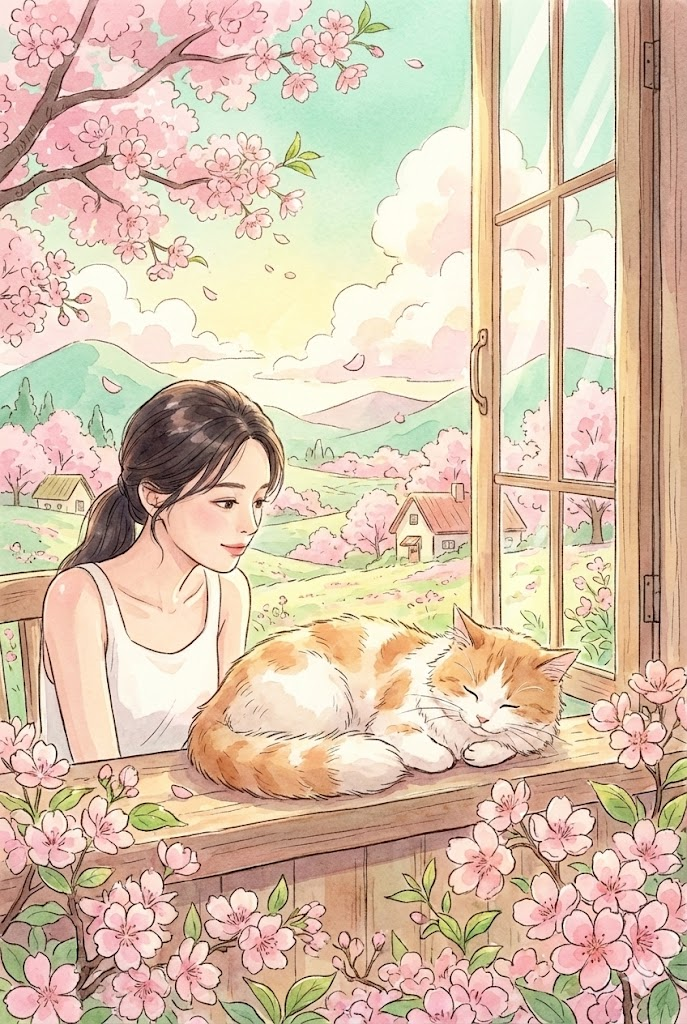
[색상 변경 프롬프트 - 봄날 파스텔] 예시 프롬프트: 구글 제미나이에서 생성
밝고 화사한 파스텔 톤을 사용하여 동화 같은 봄날의 분위기를 연출한 예시입니다.
[Core Instruction & Constraints]
Transform the uploaded source image into a high-fidelity digital animation character while strictly preserving the full likeness and facial features of the original subject. The final output must be a finished studio rendering with the quality of a cinematic movie still.
[Art Style: Studio Ghibli]
Apply the distinct artistic style of Studio Ghibli and Hayao Miyazaki. This includes hand-painted watercolor-style textures, a [bright pastel color palette featuring soft pinks, mint greens, and airy yellows], and gentle, fluid line work. Evoke a nostalgic and whimsical atmosphere using warm, soft, studio-quality cinematic lighting.
[Composition & Background]
Frame the image as a vertical or medium shot focused on [A cat sleeping on a windowsill surrounded by cherry blossoms]. The background should not be plain; instead, render a detailed, beautiful pastoral landscape or a fantasy setting that perfectly matches the hand-drawn aesthetic of Ghibli animations.
[Technical Specifications]
Render in 4K resolution with ultra-high detail levels.
'프롬프트' 카테고리의 다른 글
| 내 사진을 고퀄리티 일본 애니메이션으로! AI 스타일 변환 프롬프트 (0) | 2025.12.14 |
|---|---|
| 내 사진을 픽사 영화 주인공처럼! 고품질 3D 캐릭터 변환 프롬프트(feat. 색상 변경 팁) (0) | 2025.12.14 |
| 감성을 그리는 시간, '빈티지 수채화 스케치' 프롬프트 (0) | 2025.12.14 |
| [새해 인사 카드] 새해 연하장 스페셜 컬렉션 (0) | 2025.12.14 |
| [새해 인사 카드]나만의 고품격 연하장 만들기 (0) | 2025.12.14 |


