✨ 내 얼굴로 수많은 명작을! 제미나이 '나노바나나'로 AI 초상화 마스터하기 🎨
안녕하세요, 크리에이터 여러분! 🙋♀️ 오늘은 구글 제미나이(Gemini)의 혁신적인 이미지 편집 기능, **'나노바나나(Nano Banana)'**를 활용해 여러분의 평범한 인물 사진을 멋진 AI 초상화로 변신시키는 마법 같은 방법을 소개하려 합니다.
나노바나나는 단순히 이미지를 생성하는 것을 넘어, 업로드된 인물의 외형적 특징을 일관성 있게 유지하면서 다양한 스타일과 콘셉트를 입힐 수 있는 강력한 도구예요. 마치 전속 AI 화가가 생긴 것과 같죠!
🖼️ 1단계: 마법의 시작, 인물 사진 업로드
나노바나나를 사용한 초상화 생성의 첫 단계는 바로 **'원본 사진'**을 제미나이에게 제공하는 것입니다.
- 제미나이 앱/웹 접속: Gemini 2.5 Flash 모델이 활성화되어 있는지 확인하세요.
- 사진 업로드: 채팅 창 하단의 이미지 업로드 버튼을 눌러 변신시키고 싶은 인물 사진을 업로드합니다.
- 명령 시작: 이제 제미나이에게 "이 사진 속 인물을 기반으로 초상화를 그려줘"와 같이 간단한 명령을 내립니다.
💡 Tip: 얼굴 특징이 잘 보이는 정면 또는 약간 측면의 선명한 사진을 사용하는 것이 일관성을 유지하는 데 가장 도움이 됩니다!
✍️ 2단계: 프롬프트의 힘! 원하는 스타일로 주문하기
사진을 업로드했다면, 이제 여러분의 상상력을 프롬프트(명령어)로 펼쳐낼 시간입니다. 나노바나나의 진가는 다양한 프롬프트를 통해 인물은 그대로 둔 채 스타일, 배경, 의상 등을 자유롭게 변환하는 능력에 있습니다.
다음은 여러분의 초상화를 더욱 특별하게 만들 수 있는 프롬프트 아이디어 예시입니다.
1. 예술 스타일을 입히는 프롬프트 🎨
| 목표 | 프롬프트 예시 |
| 유화(Oil Painting) | "이 인물을 고전적인 유화 스타일의 초상화로 그려줘. 두꺼운 붓 터치와 깊이 있는 색감을 살려줘." |
| 수채화(Watercolor) | "투명하고 부드러운 수채화 스타일로 그려줘. 배경은 파스텔 톤으로 은은하게 처리해줘." |
| 디지털 아트(Digital Art) | "극도로 디테일한 디지털 페인팅 스타일로 변환해줘. 사이버펑크 분위기의 조명을 추가해줘." |
| 연필 스케치(Sketch) | "세밀한 명암이 들어간 흑백 연필 스케치로 그려줘. 미술관 액자에 담긴 모습으로 보여줘." |
2. 콘셉트와 배경을 바꾸는 프롬프트 🎭
| 목표 | 프롬프트 예시 |
| 시대극 | "이 인물을 18세기 유럽 귀족처럼 만들어줘. 화려한 드레스를 입고 웅장한 성을 배경으로 포즈를 취하는 모습으로." |
| 판타지 | "강렬한 마법사의 모습으로 그려줘. 불타는 마법진과 신비로운 숲을 배경으로 해줘." |
| 직업/취미 | "세련된 우주 비행사 복장을 입고, 달 표면을 배경으로 카메라를 들고 있는 모습." |
| 재미있는 변신 | "귀여운 동물 캐릭터 스타일로 그려줘. 나비 넥타이를 맨 모습으로." |
| 목표 | 프롬프트 예시 |
| 클로즈업 | "얼굴을 강조하는 클로즈업 구도로 그려줘. **선명한 시네마틱 보케(배경 흐림)**를 적용해줘." |
| 역광 | "해 질 녘 태양을 등진 강한 역광 조명을 넣어줘. 인물의 실루엣을 강조해줘." |
| 흑백 | "드라마틱한 명암 대비가 돋보이는 하이 콘트라스트 흑백 사진 스타일로 만들어줘." |
💡 3단계: 완성도 높이기, '반복적 수정' 활용하기
나노바나나의 가장 큰 장점 중 하나는 **채팅을 통한 '멀티턴 이미지 수정'**이 가능하다는 것입니다.
처음 결과물이 마음에 들지 않아도 걱정하지 마세요. 대화하듯이 원하는 수정을 요청할 수 있습니다.
- "조금 더 밝은 색상으로 바꿔줘."
- "초상화의 배경에 몽환적인 구름을 추가해 줘."
- "인물의 표정을 살짝 미소 짓는 모습으로 바꿔줘."
이처럼 구체적으로 요청할수록 제미나이는 여러분의 의도를 정확히 반영하여 완벽한 초상화를 만들어 줍니다.
제미나이의 나노바나나 기능은 더 이상 전문가만의 영역이 아니었던 AI 이미지 생성 및 편집을 누구나 쉽고 재미있게 즐길 수 있게 해줍니다.
여러분도 나노바나나로 평생 간직할 만한, 세상에 단 하나뿐인 멋진 AI 초상화를 만들어 보세요! 오늘 배운 프롬프트 팁들을 활용하여 여러분의 상상력을 마음껏 펼쳐보시길 바랍니다.
🚀 다양한 프롬프트 예시 따라해보세요.
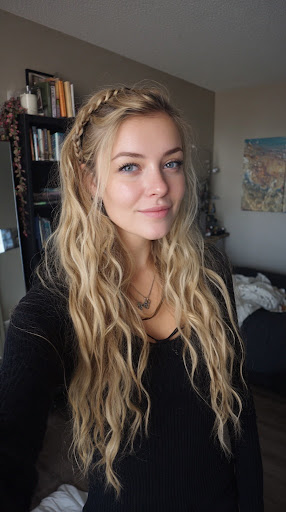
원본 이미지
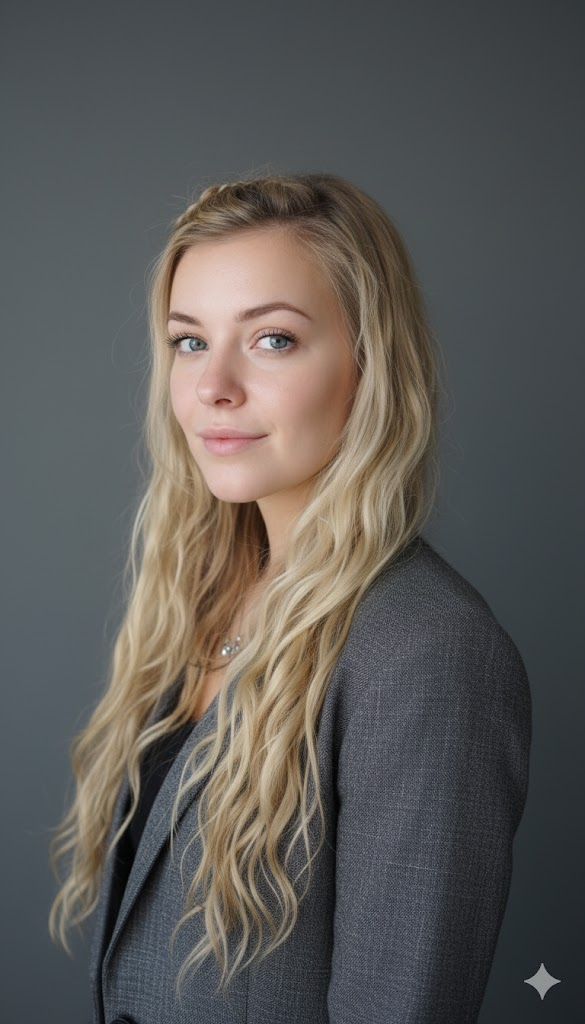
Professional, high-resolution profile photos that preserve the subject's precise facial structure, identity, and key features from the input image. The subject is framed from the chest up, ensuring ample headroom. The subject looks directly at the camera. Styled for professional studio photography, the subject wears a sophisticated smart casual blazer in a subtle charcoal gray. The background features a solid neutral studio color that complements the subject. Shot from a high angle, bright, airy, and softly diffused studio lighting subtly illuminates the face, creating a delicate catchlight in the eyes for clarity. Captured with an 85mm f/1.8 lens, it achieves shallow depth of field, meticulously focused eyes, and beautiful, smooth bokeh. Observe the sharp details of the blazer's fabric texture, each strand of hair, and the natural, realistic skin texture. The mood radiates confidence, professionalism, and approachability. Clean, bright cinematic color grading with subtle warmth and balanced tones ensures a sophisticated, contemporary feel.
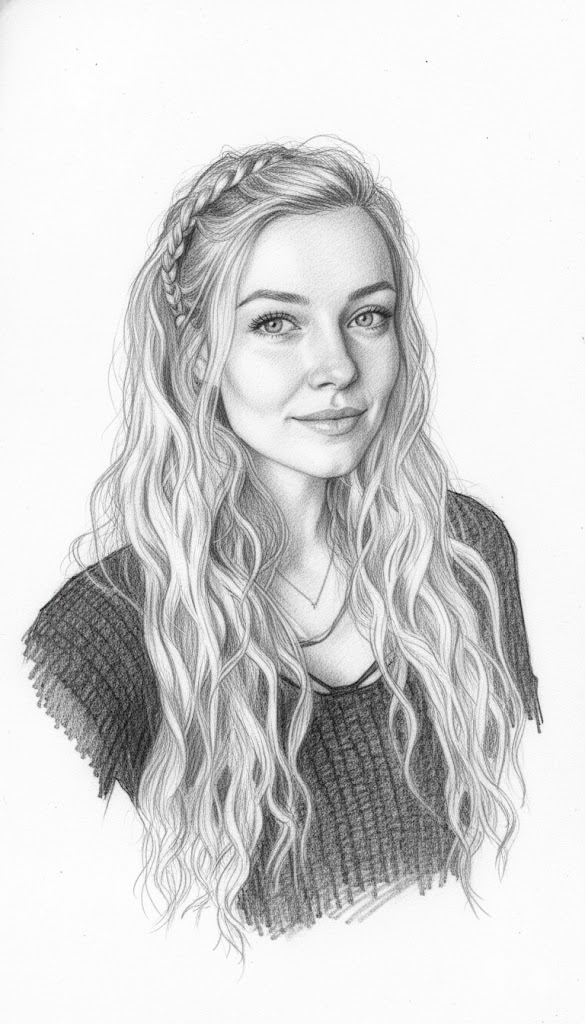
Create a detailed portrait in the exact style of the reference image: A monochromatic graphite pencil sketch composed of lines. The lines should be dense and fluid, chaotic yet precisely controlled, blending seamlessly with realistic facial features. Use only shades of graphite gray on a clean white background, applying subtle shading and gradation to achieve depth, texture, and dimensionality.
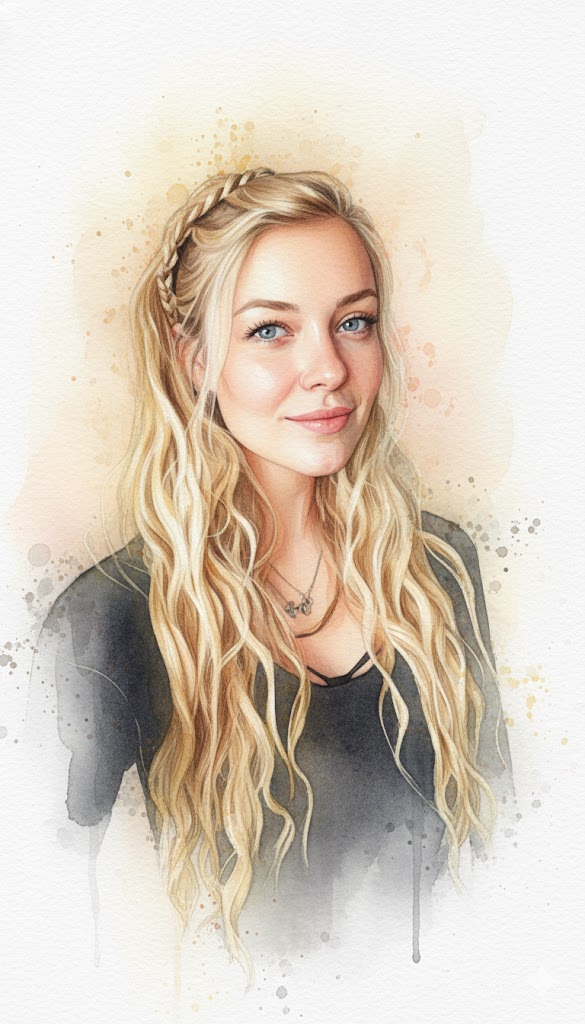
Remove the background and transform the photo into a realistic watercolor portrait featuring delicate brush textures and vibrant color blending. Capture subtle skin tones, soft light reflections, and expressive facial details. Add striking watercolor texture through layered washes, subtle gradients, and paint splatter effects around the edges. The overall style should evoke a hand-drawn feel on textured paper, incorporating artistic imperfections, brush strokes, and natural watercolor bleed effects. Include a soft background color that complements the subject and blends seamlessly with the portrait. Maintain vibrant proportions and a soft, artistic warmth.
Create a line drawing/color ink sketch of the face style matching the uploaded reference image, with the background removed. All facial features, proportions, and expressions must be maintained exactly the same. Use color ink tones with intricate and delicate line details.
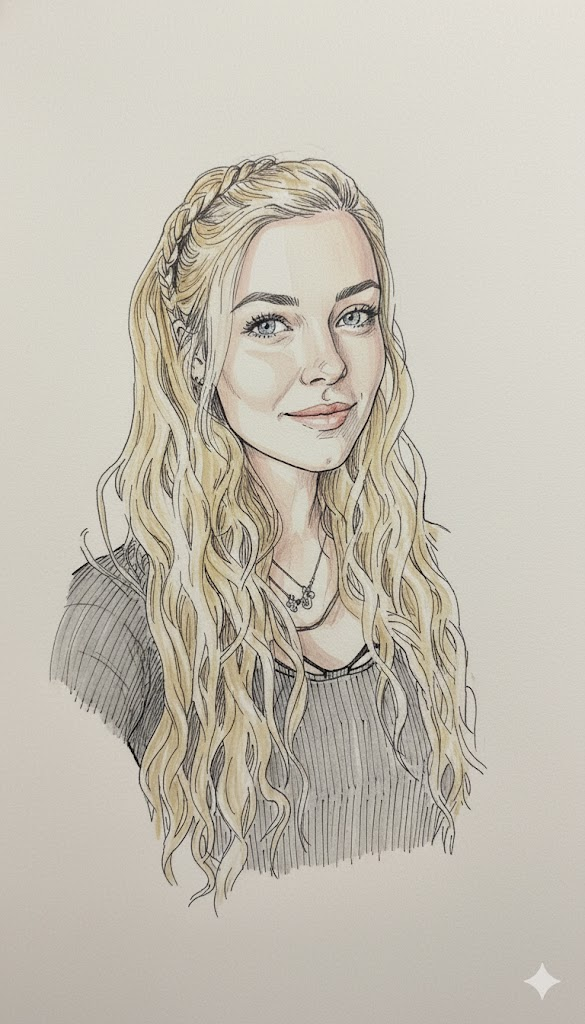
Create a line drawing/ink sketch of the face style matching the uploaded reference image, with the background removed. All facial features, proportions, and expressions must be maintained exactly the same. Use blue and white ink tones to express intricate and delicate line details.
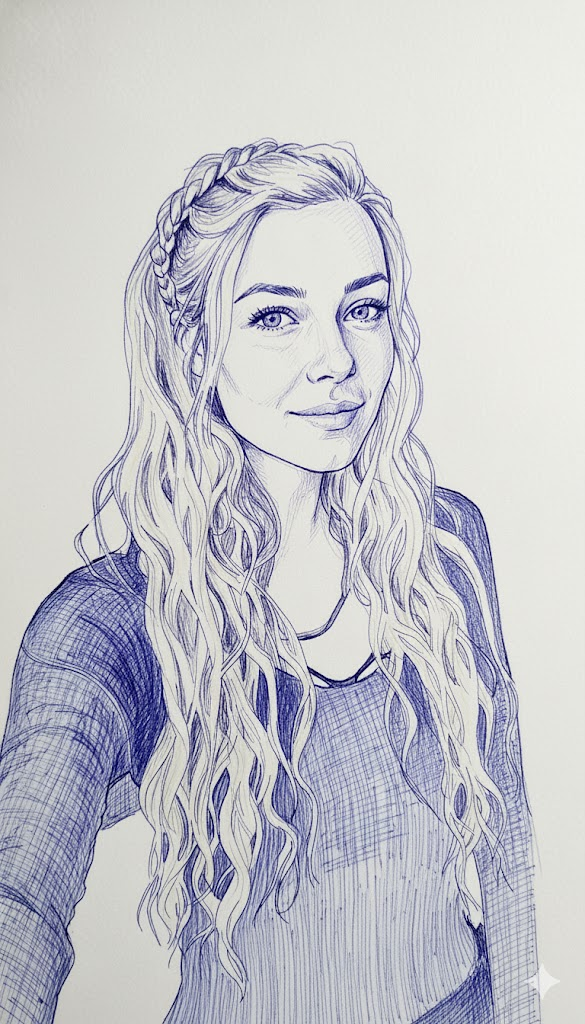
Create a pastel sketch with the same face as the uploaded reference image, removing the background. All facial features, proportions, and expressions must remain exactly the same. Use soft pastel tones with intricate and delicate line details.
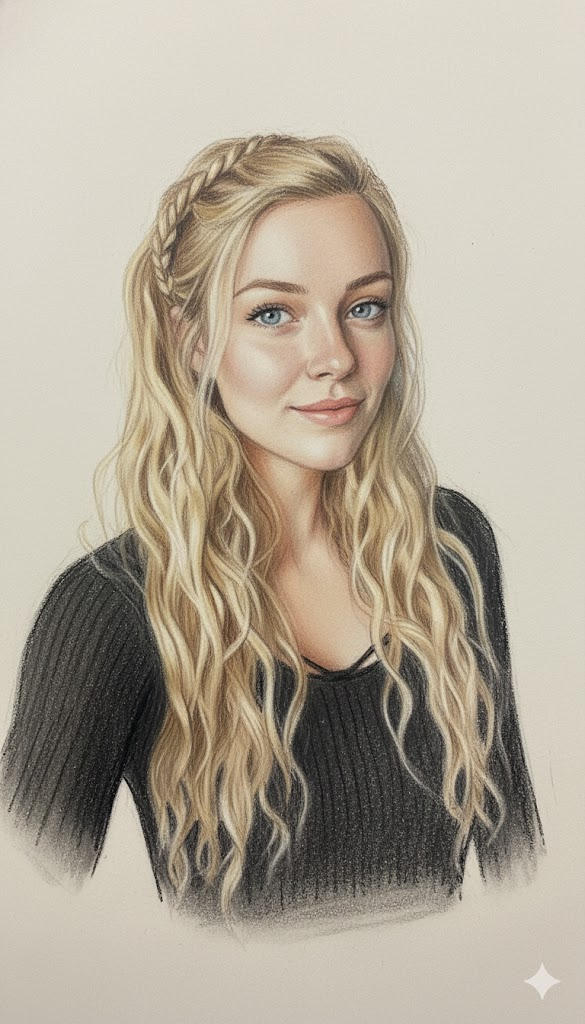
Create a colored marker pen sketch with the same face as the uploaded reference image, removing the background. All facial features, proportions, and expressions must be maintained exactly the same. Use a colored marker pen tone with intricate and delicate line details.
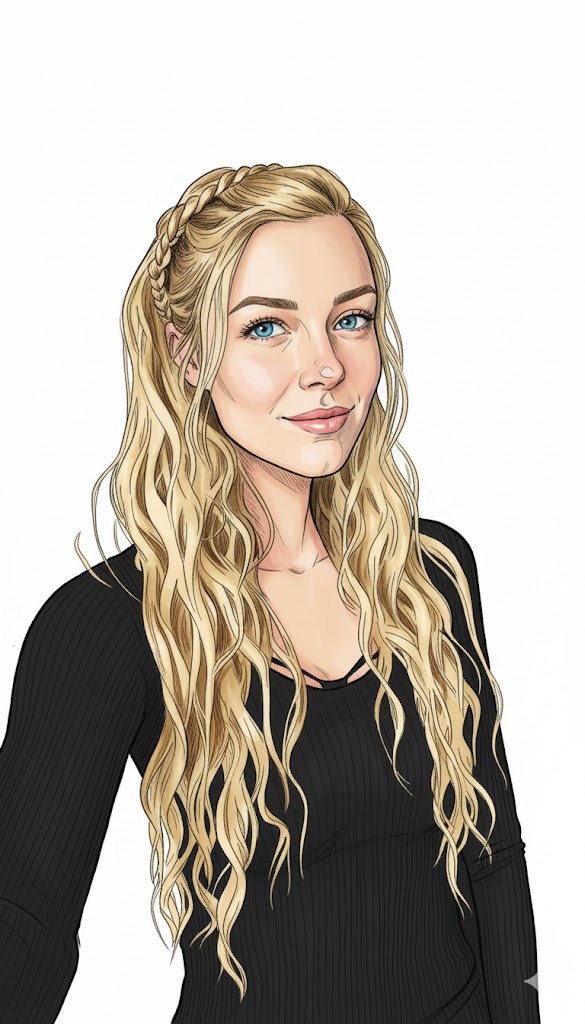
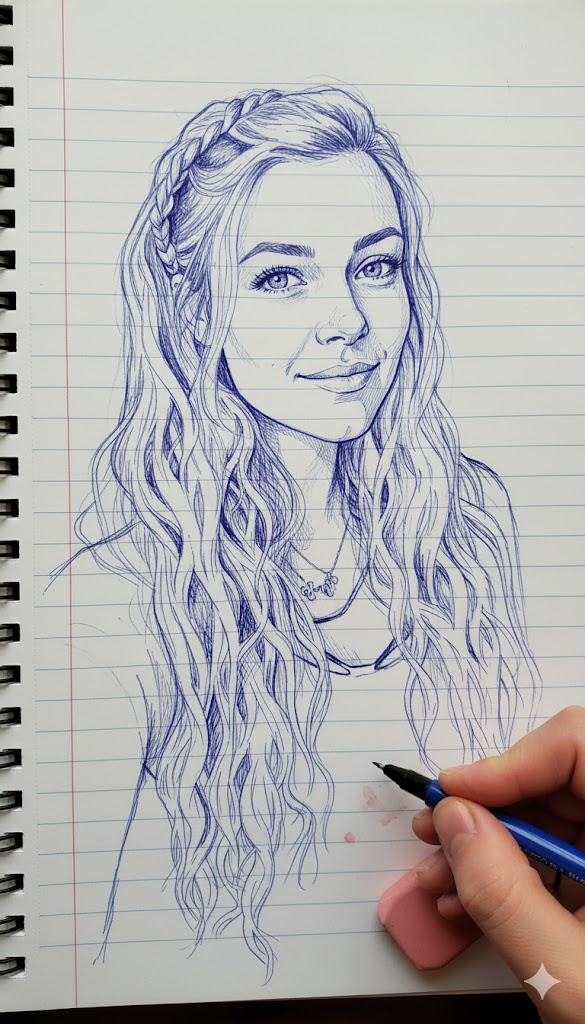
Create a photo-style line drawing / ink sketch of the faces identical to the uploaded reference image — keep every facial feature, proportion, and expression exactly the same. Use blue and white ink tones with intricate, fine line detailing, drawn on a notebook-page style background. Show a right hand holding a pen and an eraser near the sketch, as if the artist is still working.
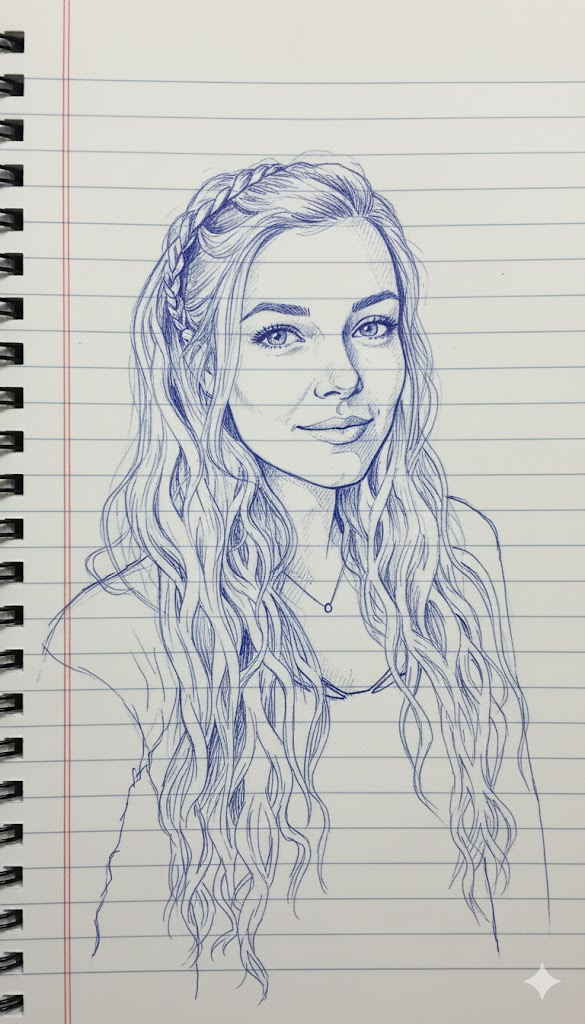
Remove the background and, using the center of the face in the uploaded reference image as your guide, create a line drawing/ink sketch in the same photographic style. All facial features, proportions, and expressions must be maintained exactly the same. Use blue and white ink tones, apply intricate and delicate line details, and draw on a spring notebook page-style background with red lines.
'프롬프트' 카테고리의 다른 글
| 내 손으로 만드는 픽사 주인공! '통통하고 귀여운 동물' 캐릭터 프롬프트 (0) | 2025.11.16 |
|---|---|
| 스타일 변신! 업로드 이미지를 활용한 🖌️ 카툰 & 팝아트 일러스트 프롬프트 (0) | 2025.11.16 |
| AI와 연필의 만남: 현대적 스케치 일러스트 제작 제미나이 프롬프트 (0) | 2025.11.16 |
| "동심의 색연필 vs. 거친 낙서 🖋️ 당신의 다음 이미지는? 스타일 반전 프롬프트 대공개" (0) | 2025.11.15 |
| 나만의 완벽한 룩을 찾아서! 구글 Gemini로 뚝딱 만드는 9가지 헤어스타일 마법 프롬프트 (0) | 2025.11.15 |


