교육 자료나 프레젠테이션, 앱 디자인에 바로 사용할 수 있는 '비비드 그라데이션 에듀테크 아이콘' 프롬프트를 준비했습니다.
단순한 플랫 아이콘은 이제 그만! 볼드한 라인과 화사한 그라데이션이 어우러져 시선을 확 사로잡는 고퀄리티 일러스트를 생성해 보세요.
🎨 Master Prompt
Create a cohesive set of high-quality vector-style spot illustrations themed around [Topic or Theme]. The design style should be 'Modern Pop-Gradient'. Use thick, dark distinct outlines to define shapes with rounded corners. Fill the elements with smooth, vibrant gradients blending [Color Palette]. The aesthetic should be playful, friendly, and polished, similar to premium educational app UI assets. Arrange them in a grid layout on a clean white background. Ensure the lighting is soft and diffuse, giving a slight depth without being fully 3D. Perfect for [Target Project Type].
1. 📝 제목
[AI 그림] 똥손도 금손 되는 마법! ✨ '비비드 그라데이션' 아이콘 생성 프롬프트
2. ✨ 프롬프트의 특징
이 프롬프트는 단순한 아이콘을 넘어, **완성도 높은 '스팟 일러스트(Spot Illustration)'**를 만들어내는 데 최적화되어 있습니다.
선명한 윤곽선: 굵고 부드러운 외곽선을 사용하여 작은 크기에서도 시인성이 뛰어납니다.
세련된 그라데이션: 단색의 지루함을 없애고, 두 가지 이상의 색상을 블렌딩하여 트렌디하고 화사한 느낌을 줍니다.
통일성 있는 디자인: 여러 개의 아이콘을 한 번에 생성해도 스타일이 깨지지 않고 세트처럼 조화롭게 나옵니다.
다양한 활용도: 교육용 PPT, 모바일 앱 버튼, 블로그 썸네일 등 어디에나 찰떡같이 어울립니다.
3. 🛠 사용 방법
위의 마스터 프롬프트에서 **굵은 이탤릭체**로 표시된 대괄호 [] 부분을 여러분의 필요에 맞게 채워 넣기만 하면 됩니다.
[Topic or Theme]: 아이콘으로 만들고 싶은 주제를 적으세요. (예: Education, Digital Marketing, Healthy Food)
[Color Palette]: 원하는 색상 조합을 적으세요. (예: Pink and Blue, Neon Green and Yellow)
[Target Project Type]: 어디에 사용할지 적으면 AI가 분위기를 맞춰줍니다. (예: Mobile App, Kids' Workbook, Website Landing Page)
4. 💡 프롬프트 예시 3가지
Case 1. 업로드한 이미지와 같은 교육 테마 (기본형)
Create a cohesive set of high-quality vector-style spot illustrations themed around E-learning and Online Education. The design style should be 'Modern Pop-Gradient'. Use thick, dark distinct outlines to define shapes with rounded corners. Fill the elements with smooth, vibrant gradients blending Pastel Pink, Purple, and Cyan. The aesthetic should be playful, friendly, and polished, similar to premium educational app UI assets. Arrange them in a grid layout on a clean white background. Ensure the lighting is soft and diffuse, giving a slight depth without being fully 3D. Perfect for School Presentation Slides.
Case 2. 스타트업 비즈니스 & 마케팅 테마
Create a cohesive set of high-quality vector-style spot illustrations themed around Business Startup and Digital Marketing. The design style should be 'Modern Pop-Gradient'. Use thick, dark distinct outlines to define shapes with rounded corners. Fill the elements with smooth, vibrant gradients blending Deep Blue and Electric Orange. The aesthetic should be playful, friendly, and polished, similar to premium educational app UI assets. Arrange them in a grid layout on a clean white background. Ensure the lighting is soft and diffuse, giving a slight depth without being fully 3D. Perfect for SaaS Website Features Section.
Case 3. 건강 & 피트니스 앱 테마
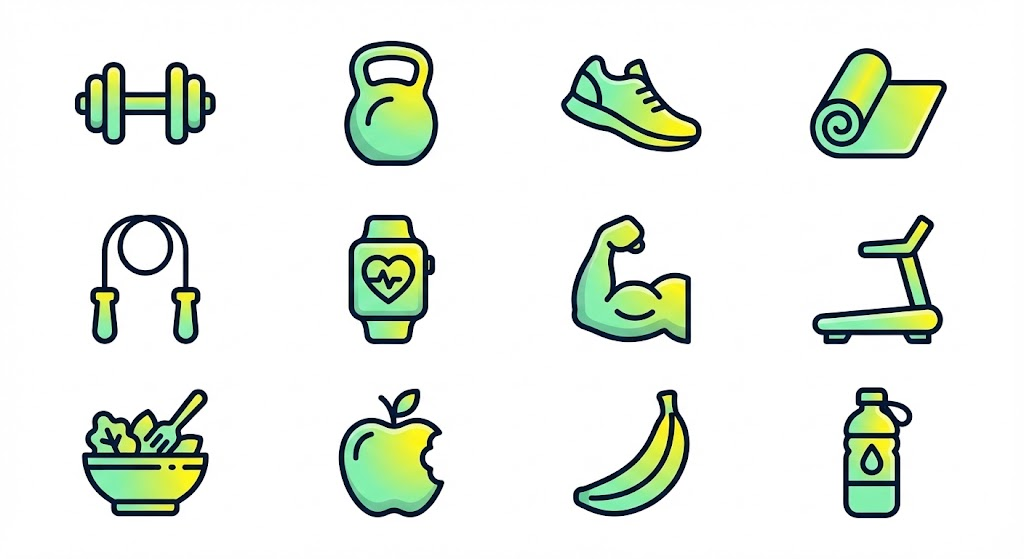
Create a cohesive set of high-quality vector-style spot illustrations themed around Fitness, Gym, and Healthy Diet. The design style should be 'Modern Pop-Gradient'. Use thick, dark distinct outlines to define shapes with rounded corners. Fill the elements with smooth, vibrant gradients blending Mint Green and Energetic Yellow. The aesthetic should be playful, friendly, and polished, similar to premium educational app UI assets. Arrange them in a grid layout on a clean white background. Ensure the lighting is soft and diffuse, giving a slight depth without being fully 3D. Perfect for Workout Tracking Mobile App.