소중한 사진을 아주 특별하고 귀여운 스타일로 재탄생시켜 줄 마법 같은 프롬프트를 준비했습니다. 복잡한 그림 실력 없이도, 여러분의 특징을 쏙 빼닮은 '고퀄리티 졸라맨(스틱 피규어)' 캐릭터를 만들어보세요. 프로필 사진이나 SNS 업로드용으로 아주 훌륭하답니다.
먼저 오늘의 마스터 프롬프트를 공개합니다!
Create a stick-figure drawing from the uploaded photo. Preserve your identity using simple facial structure and proportions. Draw an oversized head in a clean stick style. Show the full body using clean stick lines in a long-shot frame. Keep the pose relaxed and expressive. Place the figure on a blank or light background. Remove all text, logos, and watermarks. Export in high resolution with slight blur on the background.
🎨 내 사진을 귀여운 대두 졸라맨으로! 고퀄리티 스틱 피규어 변환 프롬프트
이 프롬프트는 단순한 졸라맨 그림을 넘어서, 입력된 사진 속 인물의 특징을 잡아내어 아주 깔끔하고 매력적인 캐릭터로 변환해 주는 것이 핵심입니다. 어떤 특징들이 있는지 자세히 살펴볼까요?
1. 프롬프트의 특징
특징을 살린 아이덴티티 유지 (Preserve Identity): 단순히 아무 졸라맨이나 그리는 것이 아닙니다. 사진 속 인물의 얼굴 구조와 비율을 단순화하여 반영하므로, "어? 이거 난데?" 하는 느낌을 주는 나만의 캐릭터가 탄생합니다.
귀여운 대두 비율 (Oversized Head): 머리를 몸보다 크게 그리는 '대두' 스타일을 적용하여 귀여움과 캐릭터성을 극대화했습니다.
깔끔하고 전문적인 마감 (Clean & High-Res): 거친 낙서 느낌이 아닌, 아주 정돈된 선(Clean stick lines)을 사용합니다. 또한, 불필요한 텍스트나 로고를 제거하고, 배경을 은은하게 흐리는(Slight blur) 효과를 주어 결과물이 매우 전문적이고 고급스럽습니다.
전신 롱샷 (Full body, Long-shot): 캐릭터의 전체적인 포즈와 분위기를 한눈에 볼 수 있도록 전신을 담아냅니다.
2. 사용 방법
이 프롬프트는 '이미지 투 이미지(Image-to-Image)' 기능을 지원하는 AI 툴(예: 미드저니, 스테이블 디퓨전 등)에서 사용할 때 가장 효과적입니다.
사진 준비: 캐릭터로 변환하고 싶은 전신 또는 상반신 사진을 준비합니다. 이목구비가 명확할수록 특징을 잘 잡아냅니다.
이미지 업로드: AI 툴에 준비한 사진을 업로드하고 프롬프트의 참조 이미지로 설정합니다.
프롬프트 입력: 위의 마스터 프롬프트를 복사하여 입력창에 붙여넣습니다.
생성: AI가 사진을 분석하여 귀여운 스틱 피규어를 그려낼 때까지 기다립니다!
3. 프롬프트 예시 3가지
마스터 프롬프트를 기반으로, 상황이나 분위기를 조금씩 바꾸어 응용해 볼 수 있습니다. 사용자가 변경할 수 있는 부분은 굵은 이탤릭체로 표시했습니다.
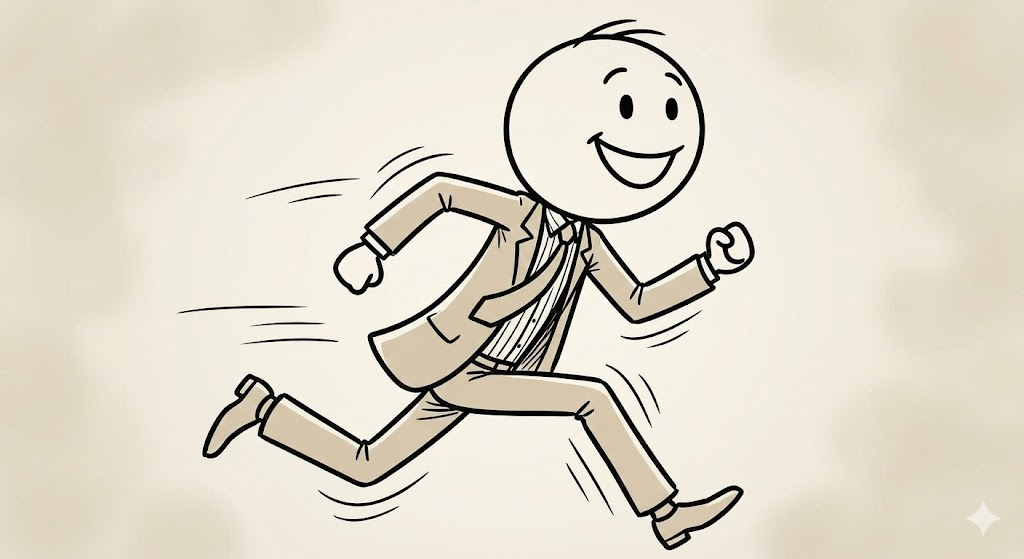
예시 1: 즐겁게 뛰어가는 역동적인 모습 기본적인 편안한 포즈 대신, 활기찬 느낌을 주고 싶을 때 사용해 보세요.
Create a stick-figure drawing from the uploaded photo. Preserve your identity using simple facial structure and proportions. Draw an oversized head in a clean stick style. Show the full body using clean stick lines in a long-shot frame. Change the pose to running joyfully with dynamic motion lines. Place the figure on a blank or light background. Remove all text, logos, and watermarks. Export in high resolution with slight blur on the background.
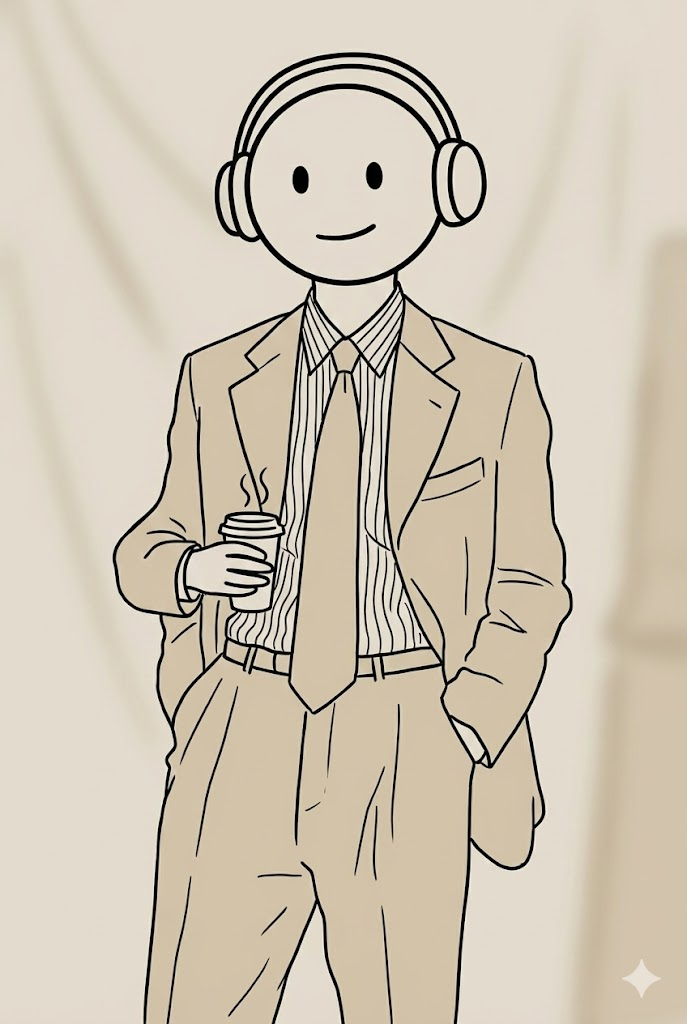
예시 2: 특정 소품을 들고 있는 모습 캐릭터에 작은 아이템을 추가하여 개성을 표현하고 싶을 때 유용합니다.
Create a stick-figure drawing from the uploaded photo. Preserve your identity using simple facial structure and proportions. Draw an oversized head in a clean stick style. Show the full body using clean stick lines in a long-shot frame. Keep the pose relaxed, holding a small coffee cup and wearing oversized headphones. Place the figure on a blank or light background. Remove all text, logos, and watermarks. Export in high resolution with slight blur on the background.
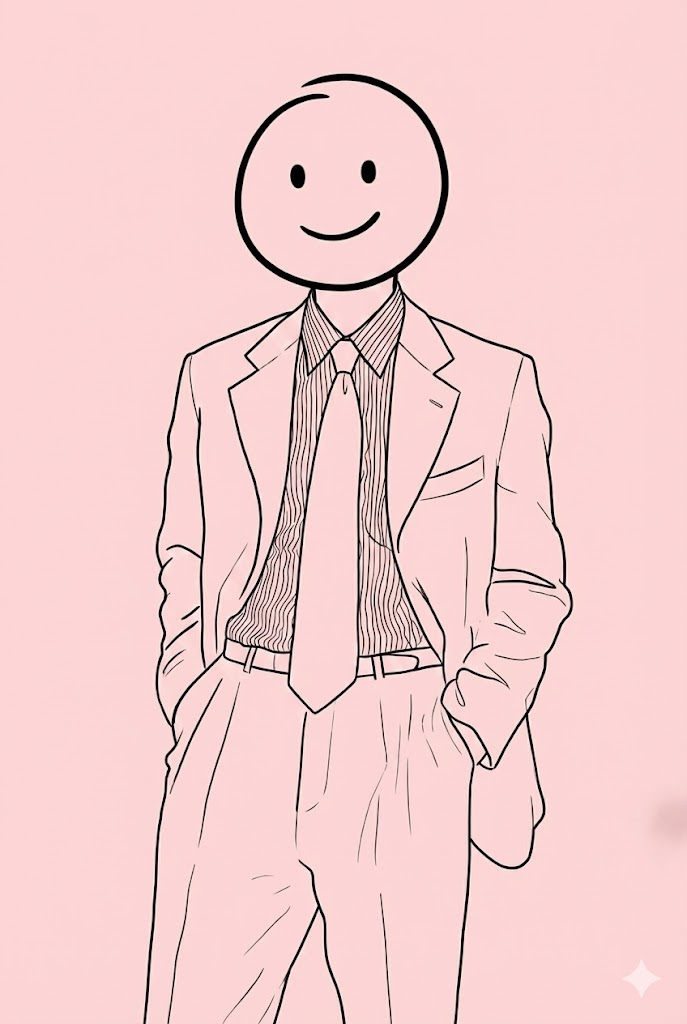
예시 3: 따뜻하고 부드러운 배경 분위기 배경 색상을 지정하여 캐릭터의 분위기를 바꿔볼 수 있습니다.
Create a stick-figure drawing from the uploaded photo. Preserve your identity using simple facial structure and proportions. Draw an oversized head in a clean stick style. Show the full body using clean stick lines in a long-shot frame. Keep the pose relaxed and expressive. Place the figure on a soft pastel pink background. Remove all text, logos, and watermarks. Export in high resolution with slight blur on the background.